
The beta is openJoin now →

Your business card.Always with you.

Qollecta is your digital business card and your private contact archive. Show your QR code, scan paper cards, note where you met. Everything stays on your iPhone.

Card in 60 secondsQR, no app for the other person100 % on your deviceTen card designsNearby without internetMade in Lich Card in 60 secondsQR, no app for the other person100 % on your deviceTen card designsNearby without internetMade in Lich

01 · Your card

Layer by layer, your card.

Photo, name, contact details and QR code, cleanly designed and ready right away.

03 · Card Studio

Every detail editable.

Background, colours, fonts, logo, QR code and effects, right on your card.

05 · Nearby

Swap cards by radar.

Nearby finds Qollecta users around you. Local network only, no cloud.

07 · Appointments

No appointment gets lost.

Countdown, address, contact and reminder, all at a glance.

02 · Designs

Ten designs, one swipe.

From classic gold to business: pick the style that suits you.

04 · Sharing

One scan, no app.

The other person scans the QR code with their camera. Over Wi-Fi, via hotspot or P2P between two iPhones.

06 · Archive

All cards, in one place.

Scanned and digital cards, sorted by month and stored locally on your iPhone.

08 · Overview

Your network grows.

Contacts, professions and activity, clearly in one place.

The film · 2:16

More than just a digital business card.

Two minutes that show what Qollecta does in everyday life. The film plays right here on the iPhone.

Open on Vimeo

All features

Everything Qollecta can do.

Ten areas, one app. Everything runs locally on your iPhone.

  1. Digital card

    One card. Every connection.

    The other person scans the QR code with their camera and sees your card, no app needed. Sharing works over Wi-Fi, P2P or directly from iPhone to iPhone.

    • QR code
    • Link
    • Wi-Fi
    • P2P
    • Nearby
    • AirDrop
    • Share
    • vCard
  2. Card Studio

    Design every detail.

    Start with one of ten designs and make it yours. You see every change live on the card.

    • 10 designs
    • Your own styles
    • Background
    • Video behind the card
    • Colours
    • 15 fonts
    • Visibility
    • QR position
    • Logo & Profilbild
    • 3D card
    • Light effect
    • Reflection
    • Landscape
    • PNG export
  3. Scanner

    Paper in, contact out.

    Photograph a business card and the fields fill themselves. The original stays in the archive as an image. All offline, right on the device.

    • Scan a business card
    • Auto-crop
    • Fill in fields
    • Keep the original
    • Scan a Qollecta QR
    • Enter manually
  4. Archive

    Every card, found instantly.

    Digital and scanned cards in one place, searchable and sorted by relationship, profession and month.

    • Search
    • Filter
    • Clients
    • Leads
    • Partners
    • Suppliers
    • Favourites
    • By profession
    • By month
  5. Relationships

    Remembers for you.

    Where you met, what you talked about and when to get back in touch. For every contact.

    • Relationship memory
    • Notes
    • Voice notes
    • Follow-up
    • Reminders
    • Teams
  6. Nearby

    Connected, no network.

    The radar shows Qollecta users around you. Sending cards and chatting work without any internet at all.

    • Radar
    • Send card
    • Send to everyone
    • Nearby-Chat
    • Without internet
  7. Appointments

    No appointment gets lost.

    Add appointments by hand or scan an appointment card. With place, contact, reminder and countdown.

    • Week view
    • Filter
    • Scan appointment card
    • Reminder
    • Countdown
    • Navigation
    • Siri
  8. Dashboard

    Your network in numbers.

    Connections, professions and teams at a glance, plus your activity over the last 7, 14 or 30 days.

    • Connections
    • Professions
    • Teams
    • Activity
    • Professional network
    • Memory archive
  9. Privat by Design

    Everything stays with you.

    No cloud, no tracking. Your contacts live on your iPhone, with a backup whenever you want.

    • No cloud
    • No tracking
    • Stored locally
    • Backup
  10. Sprachen & Stil

    Your app, your language.

    Ten languages, two looks: Classic or Qollecta Glow. You switch notifications and Nearby transfer yourself.

    • 10 languages
    • Classic
    • Qollecta Glow
    • Notifications
    • Transfer Nearby

Your contacts belong to you.

Not to a cloud. Not to a server.

Everything revolves around your iPhone.

Privat by Design

One system. All local.

Features

Everything a paper card never could.

A business card you can't lose, an archive that remembers and a search that understands what you need.

ShareQR without an app
DesignTen card designs
CollectScan paper cards
ContextDated notes
Follow-upReminders
OrganiseTeams & Kundengruppen
NetworkContacts by profession
NearbySwap cards without a network
PrivateNo server of our own
ArchiveKeep the original as an image

The founder

From screen printing to the app.

Behind Qollecta is Mersit T., founder and designer from Lich, Germany.

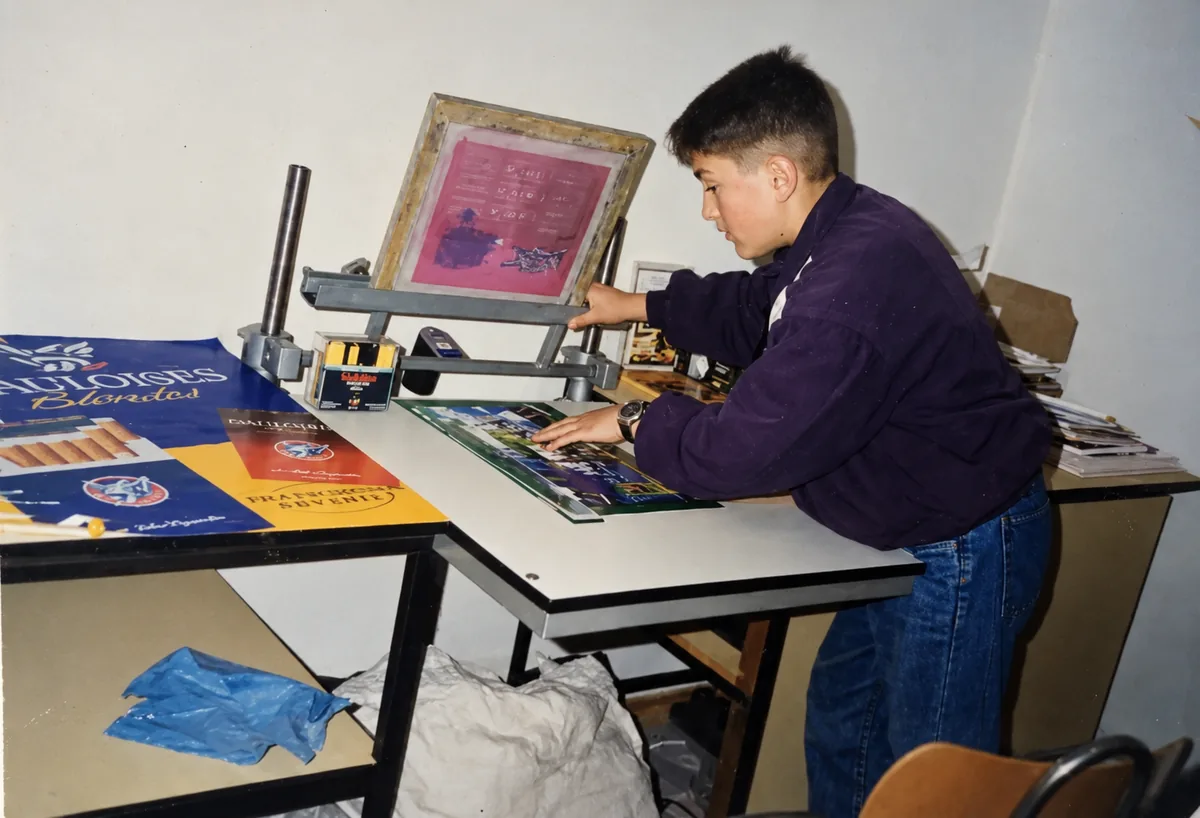
Mersit as a child screen printing in his own workshop
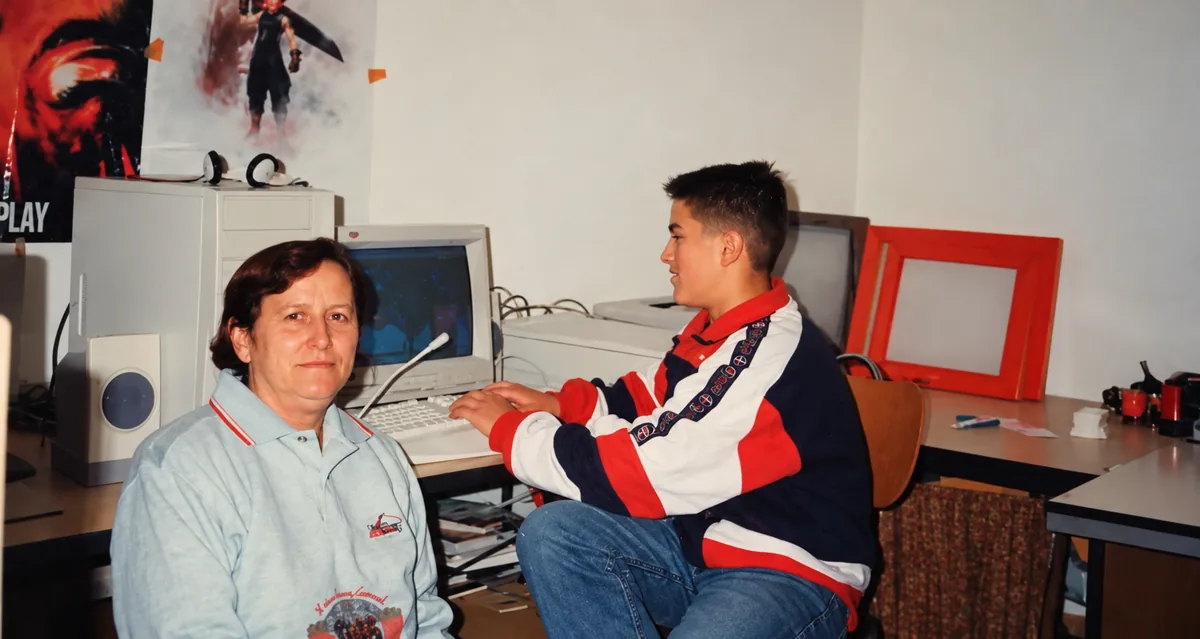
Mersit as a boy at the computer, with his aunt beside him
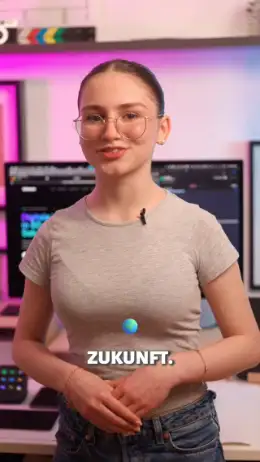
Mersit T., founder and designer of Qollecta
0103

01 · At twelve

The first workshop.

My connection to business cards began long before Qollecta. At the age of twelve I found my way to graphic design through drawing, design and art.

Back then my father built me a small workshop where I could practise, learn and find my own way. There I screen printed my first business cards and realised early on how much identity, craft and memory a small card like that holds.

02 · The good old days

My other side.

An old computer, lots of questions and whole afternoons of trying things out. Even as a boy I didn't just want to draw, I wanted to understand how things work.

Alongside a talent for drawing and graphics, I was always drawn to technology. That is my other side. For me, creativity is the engine that opens new horizons for humanity.

03 · Today

A passion became Qollecta.

Over time this grew into the idea of rethinking business cards: more digital, more private, smarter and more beautifully organised.

The vision of Qollecta grew out of this early passion for graphic design.

For companies · Become a partner

Together we are building tomorrow's business card.

Qollecta is being made in Lich, Germany, with heart and craft. Companies that want to support our work or grow with us are right on time: join during the beta and help shape it.

  1. For supporters Support

    Back the development and follow Qollecta from the start, as a supporter from day one.

    Get in touch
  2. For teams Pilot partner

    Test Qollecta with your team, give feedback and help shape new features before they launch.

    Get in touch
  3. For networkers Cooperation

    Trade fairs, events, print shops, agencies: let's build something that connects paper and digital.

    Get in touch
Write to us

Every message is read personally.

Before you test

Quick questions.

What you should know before installing the beta.

Where are my contacts stored?

On your iPhone. Qollecta has no server of its own: the app runs entirely locally on the device. You decide what you share.

Does the other person need the app?

No. You show your QR code, the other person scans it with their camera and sees your card. Your iPhone serves the card itself, on the same Wi-Fi or via your hotspot.

Does Qollecta work without internet?

Yes. Creating cards, scanning business cards and searching the archive all work offline. With Nearby you swap cards with iPhones around you, even with no network at all.

Can I scan classic business cards?

Yes. You photograph the card, keep the original as an image in the archive and turn the key details into a digital contact, without typing.

How personal can my card be?

You start with one of ten designs and adjust everything in Card Studio: colours, fonts, logo, background, even a video behind the card. You decide which details are visible.

How do I organise lots of contacts?

With teams, projects, client groups, professions and your own categories. Plus dated notes and reminders so no call-back gets lost. Search understands terms like “tax adviser” or “photographer”.

How can I test the beta?

Via TestFlight, free of charge. Open the TestFlight link on your iPhone, install the beta and feel free to send us your feedback.